
Read deeper with Nabu
Anchor your AI threads to anything you read. Ask questions, save insights, never lose context — on any page.
⬇ Add to ChromeInstalls from the official Chrome Web Store.
Anchor your AI threads to anything you read. Ask questions, save insights, never lose context — on any page.
⬇ Add to ChromeInstalls from the official Chrome Web Store.
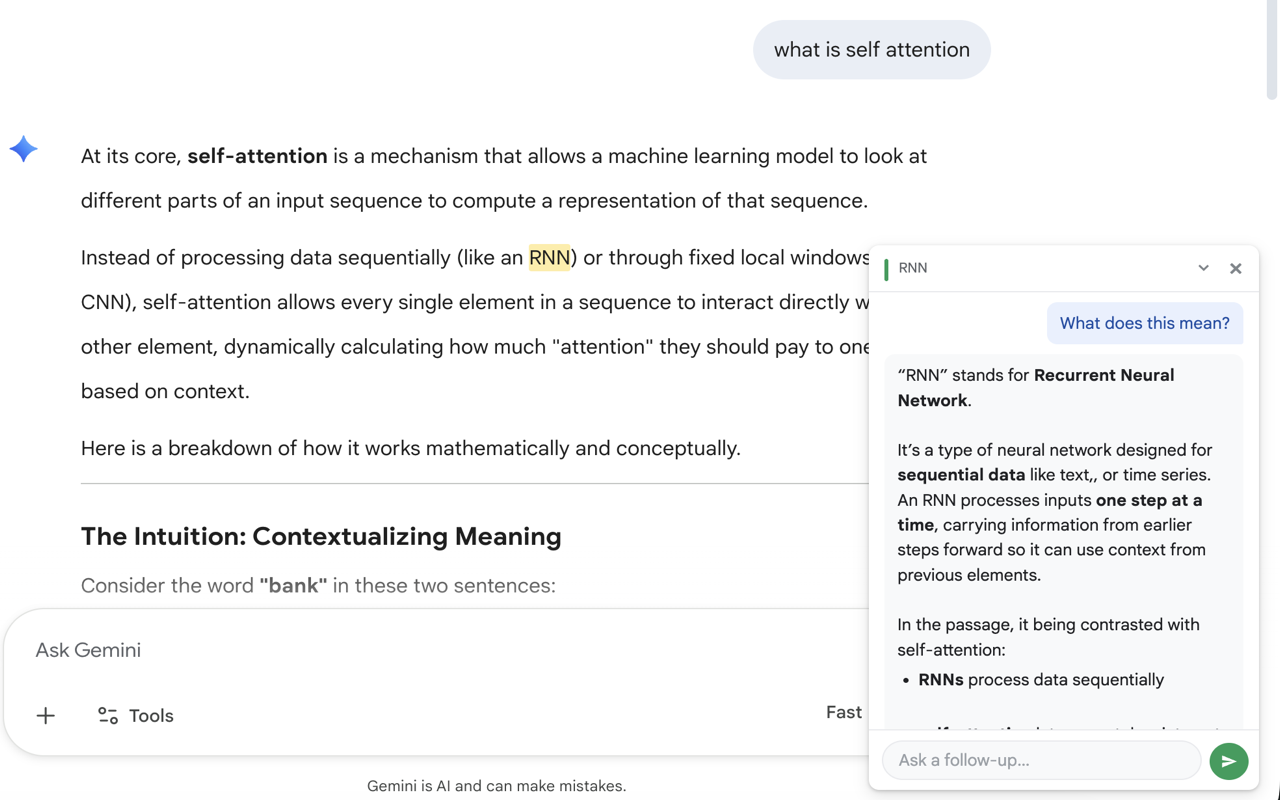
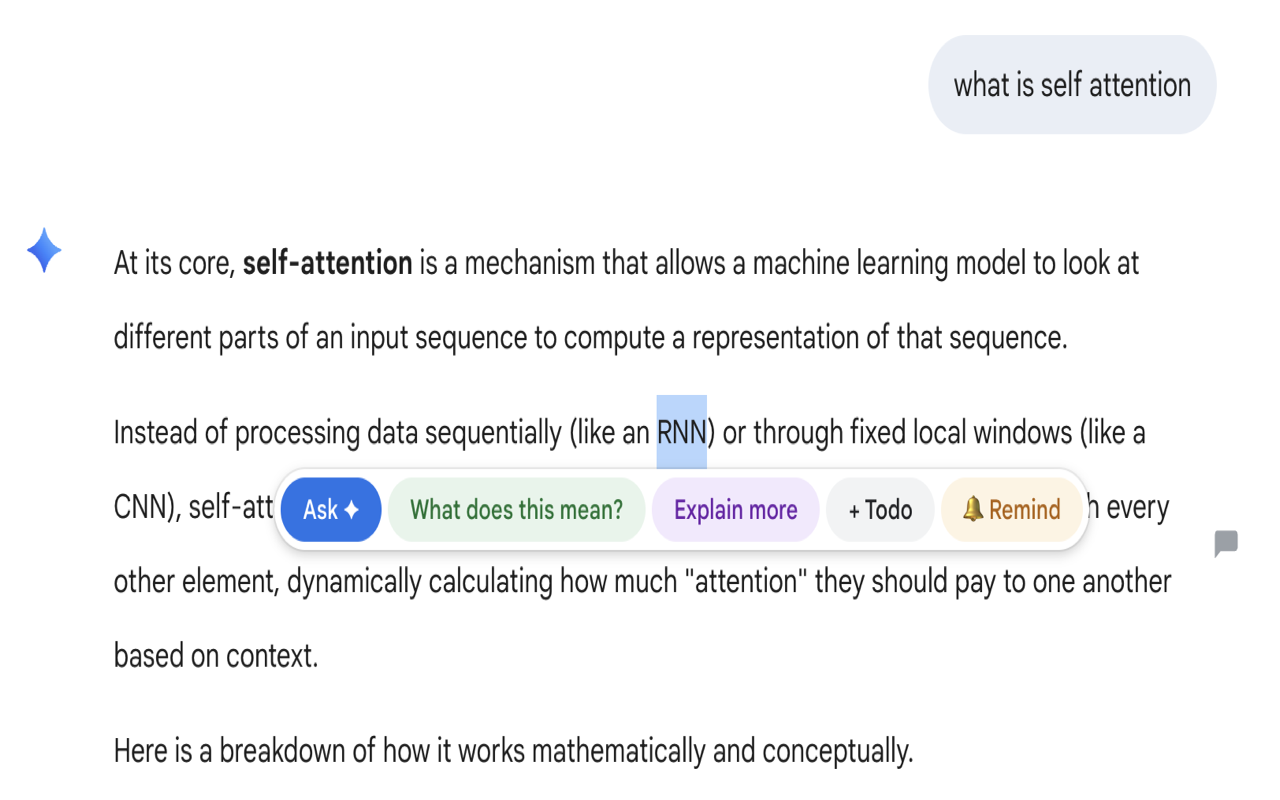
Select any text and a thread card anchors right there. Ask follow-ups without losing your place.
Come back to the same page and your threads are still there, exactly where you left them.
Select text and instantly ask "What does this mean?" or "Explain more" with one click.
Highlight any passage and jot a quick note for yourself. All organized in your dashboard.
Your threads stay in your browser. We never store your reading content or conversations.
Any webpage — articles, research papers, docs, LLM outputs. One extension for everything.
Click Add to Chrome above, then confirm in the browser dialog.
Visit any webpage, select text, and click Ask AI or Note to start your first thread.
Type your question and hit Enter. The AI responds inline, anchored to your selection. Ask follow-ups in the same thread, or attach a quick Note to anything you read. Click the extension icon to see your full history.